Blog
DONE.
DONE. is a concept mobile app built around one deliberately antiproductivity constraint: choose a single meaningful task, commit to it, finish it, and then stop.

CASE STUDY / 2026
Intentional friction for one-task days.
DONE. is a concept mobile app built around one deliberately antiproductivity
constraint: choose a single meaningful task, commit to it, finish it, and then stop.
Instead of optimizing engagement, it optimizes closure.
Executive Summary
DONE. rejects the assumption that a productivity tool should always capture more work. Its central move is small but strict: the user chooses one meaningful task,
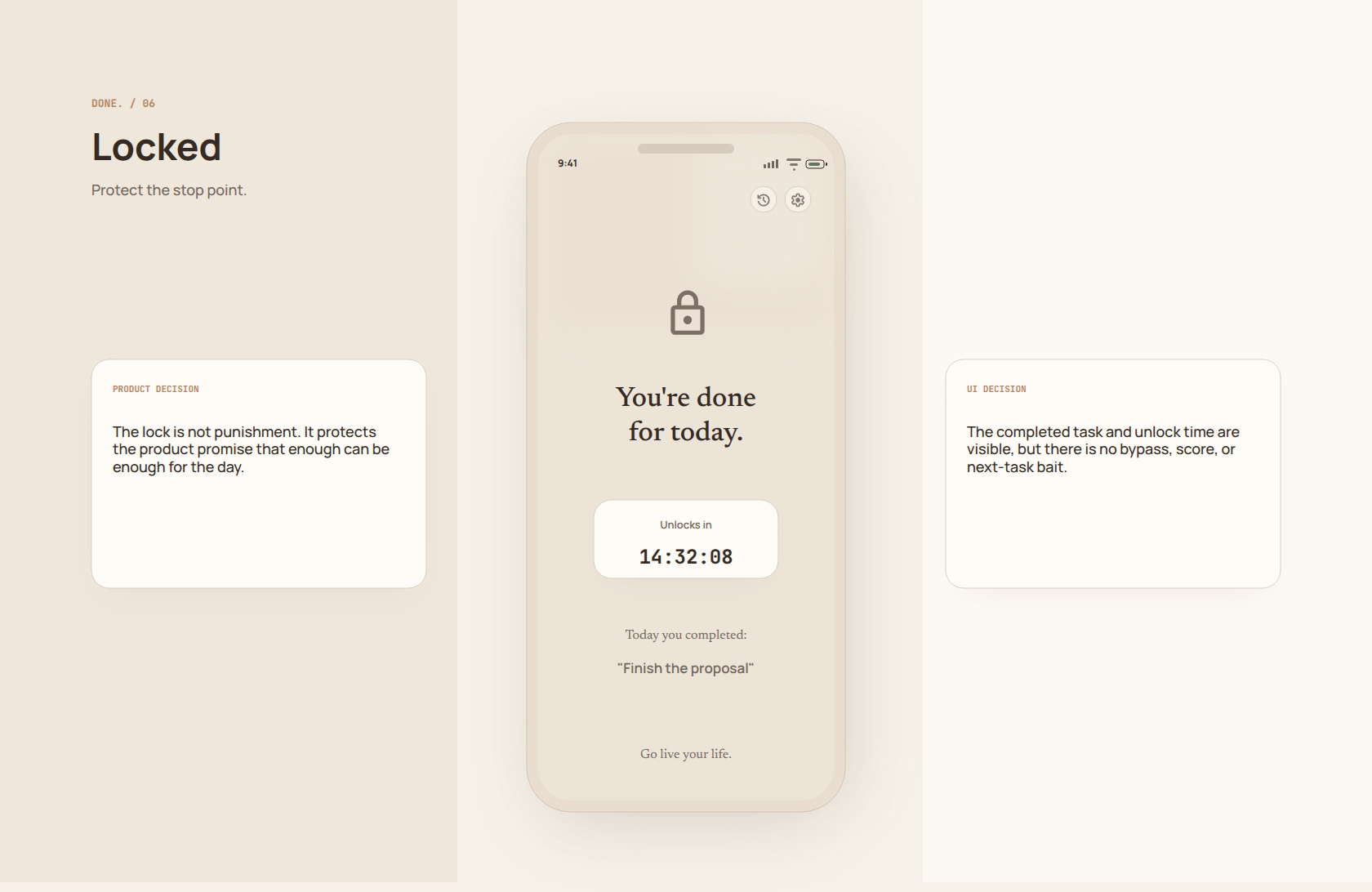
confirms it, completes it, and then the app locks for the rest of the day.
• One task only.
• Friction before commitment, not after.
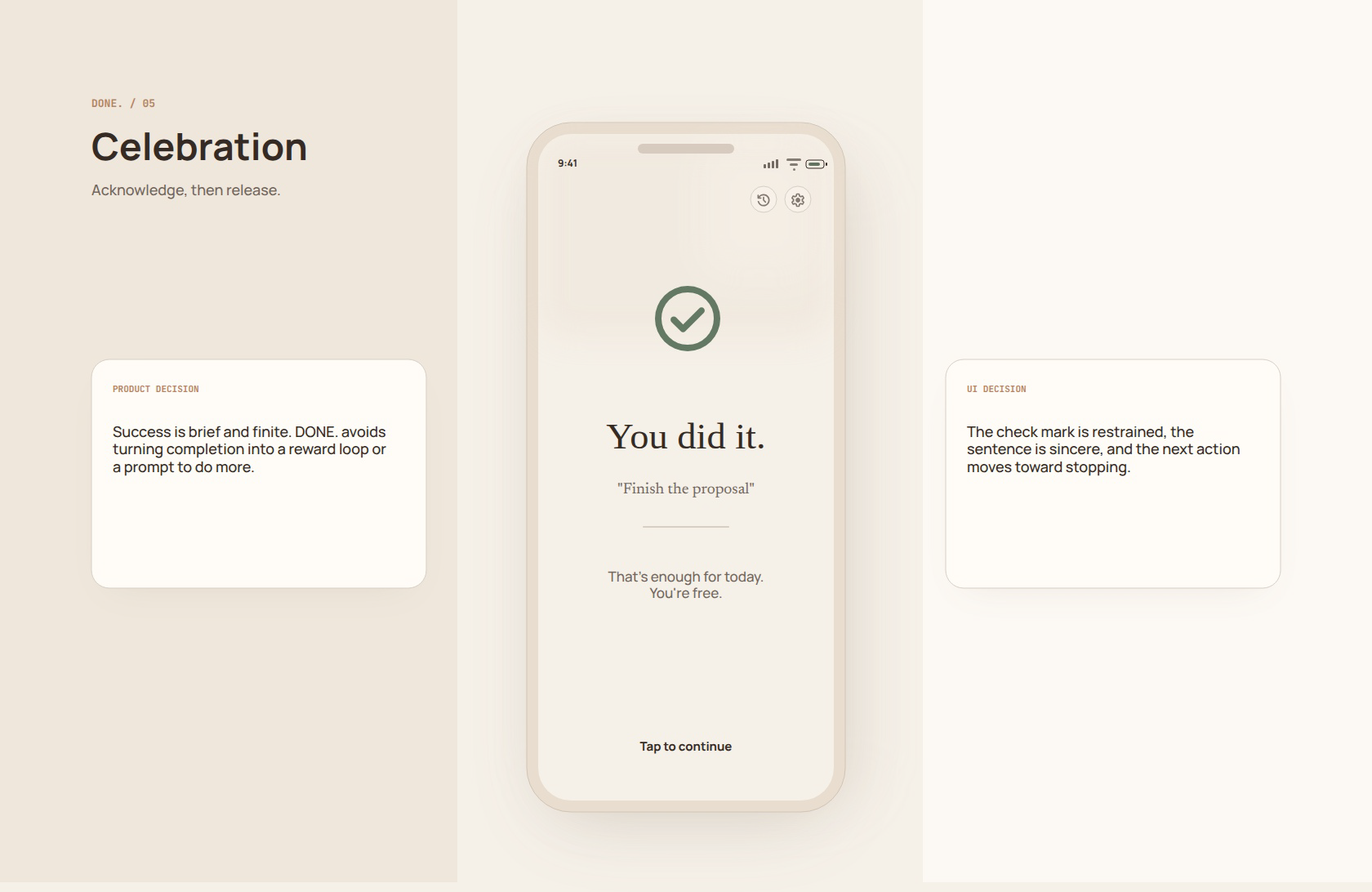
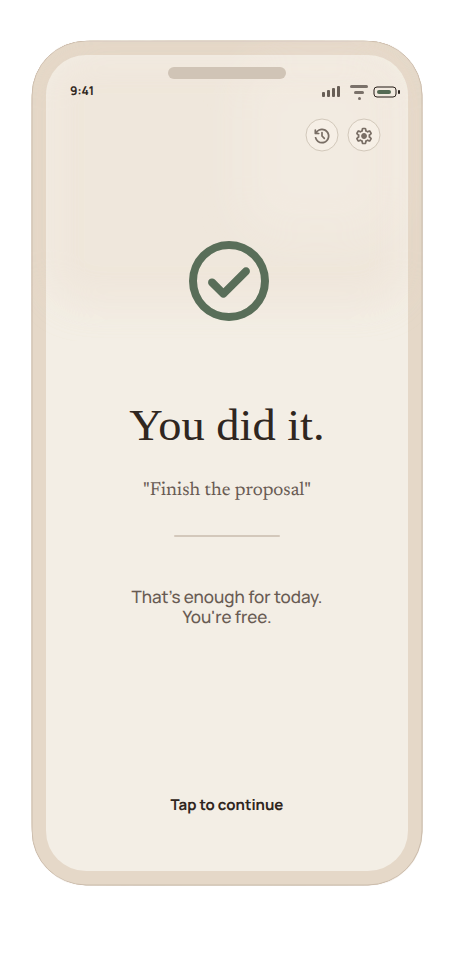
• Completion leads to release, not another prompt.
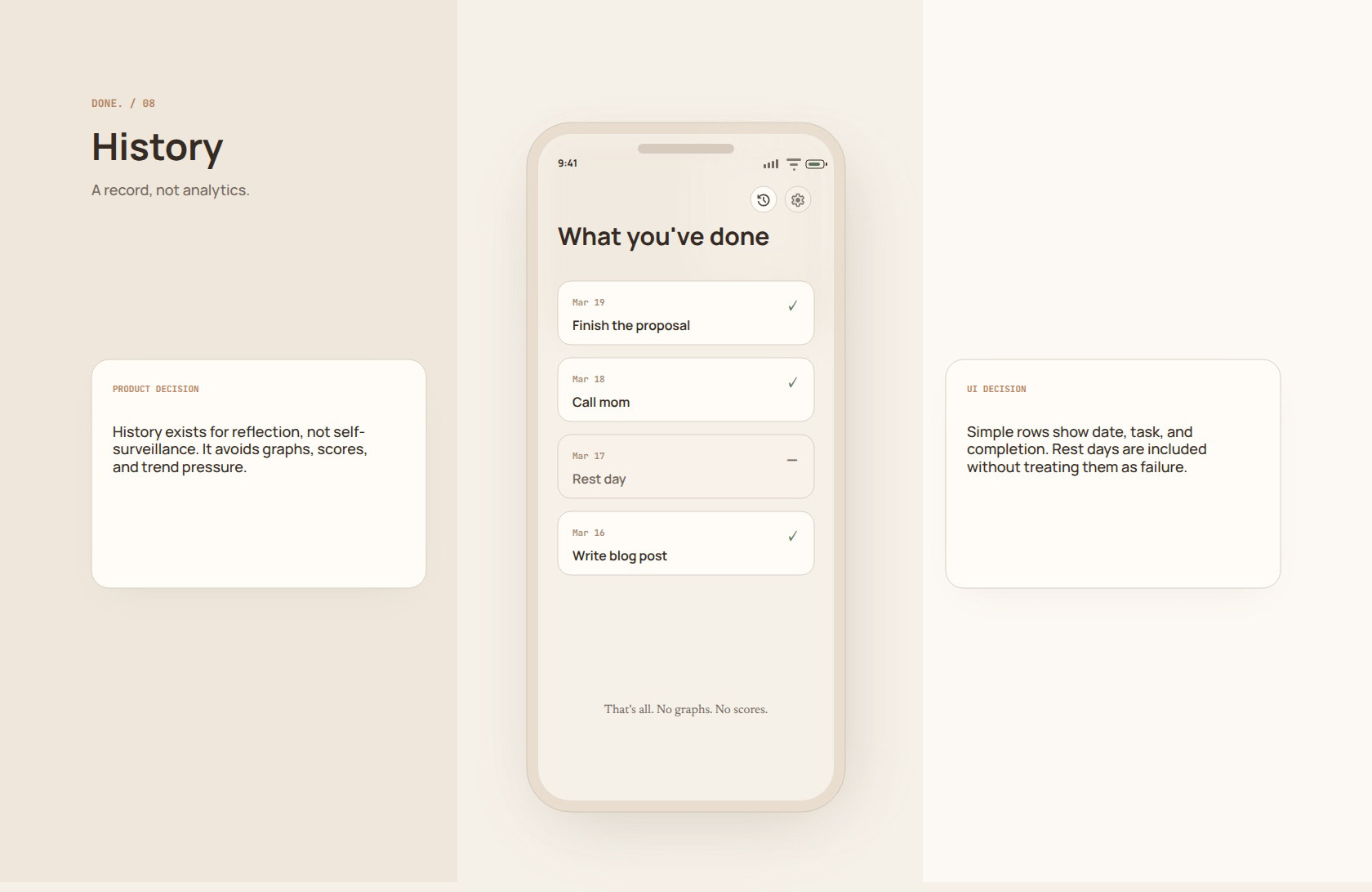
• History and settings remain secondary quiet paths.
CHALLENGE
Make stopping feel designed.
Most task tools make accumulation easy. DONE. makes closure
the product promise.
ROLE
Product framing, UX model, screen
architecture.
The work defines the commitment flow, stopping logic, sparse
utilities, and Penpot hi-res screen system.
OUTCOME
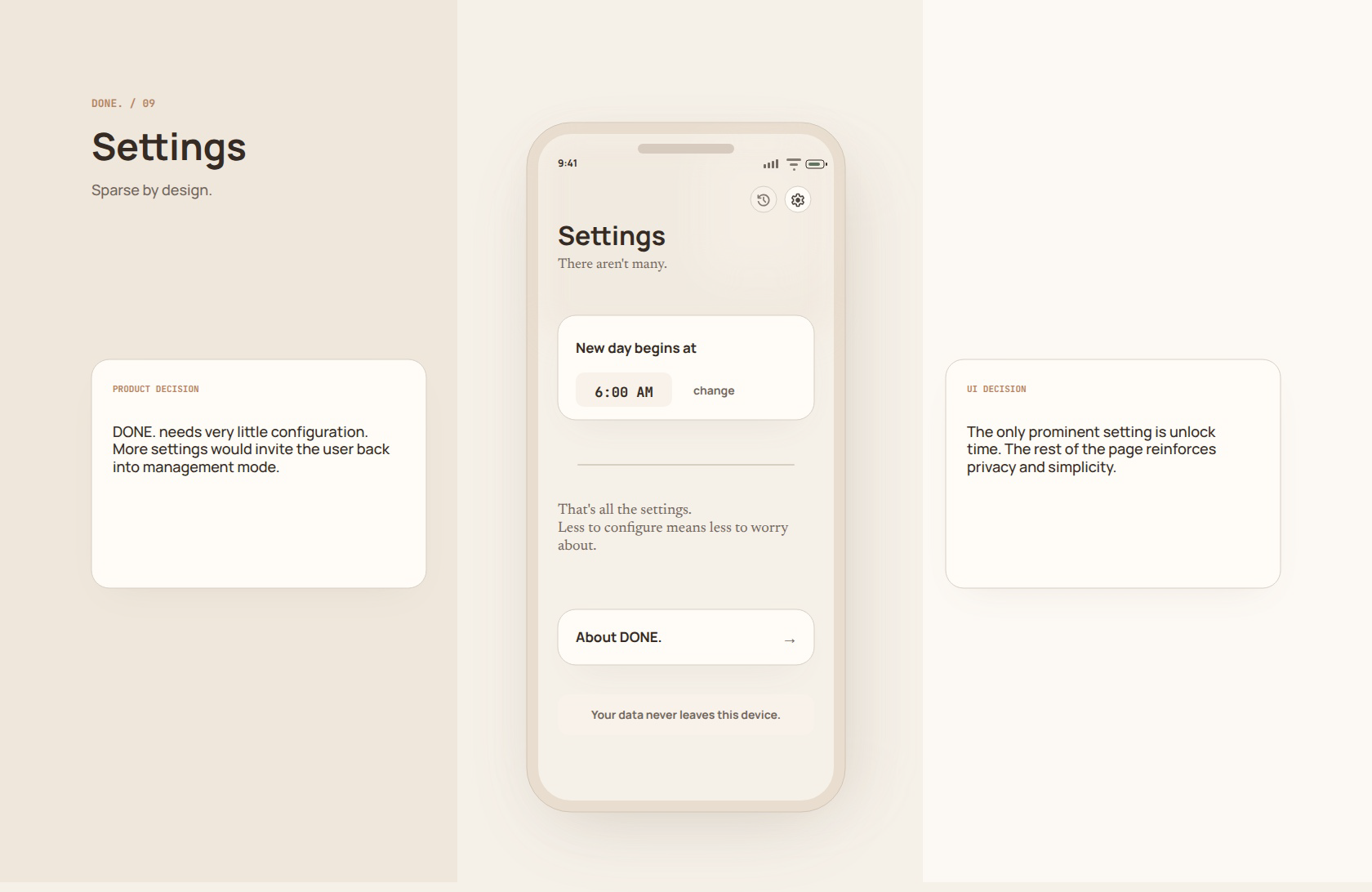
A nine-screen editable Penpot PoC.
Intention, Confirm, Focus, Completing, Celebration, Locked,
Empty, History, and Settings
Problem Framing
The problem was not capturing more work. It was helping the user choose, finish, and stop before the interface became another source of ambient pressure.
RISK 01
Backlog gravity
Most tools assume there is always another item to add, review,
or optimize.
RISK 02
Completion becomes fuel
Celebration patterns often push the user into more action rather
than a real stopping point.
RISK 03
Metrics become pressure
Streaks, graphs, and scores can turn self-management into
another maintenance task.
Flow Contract
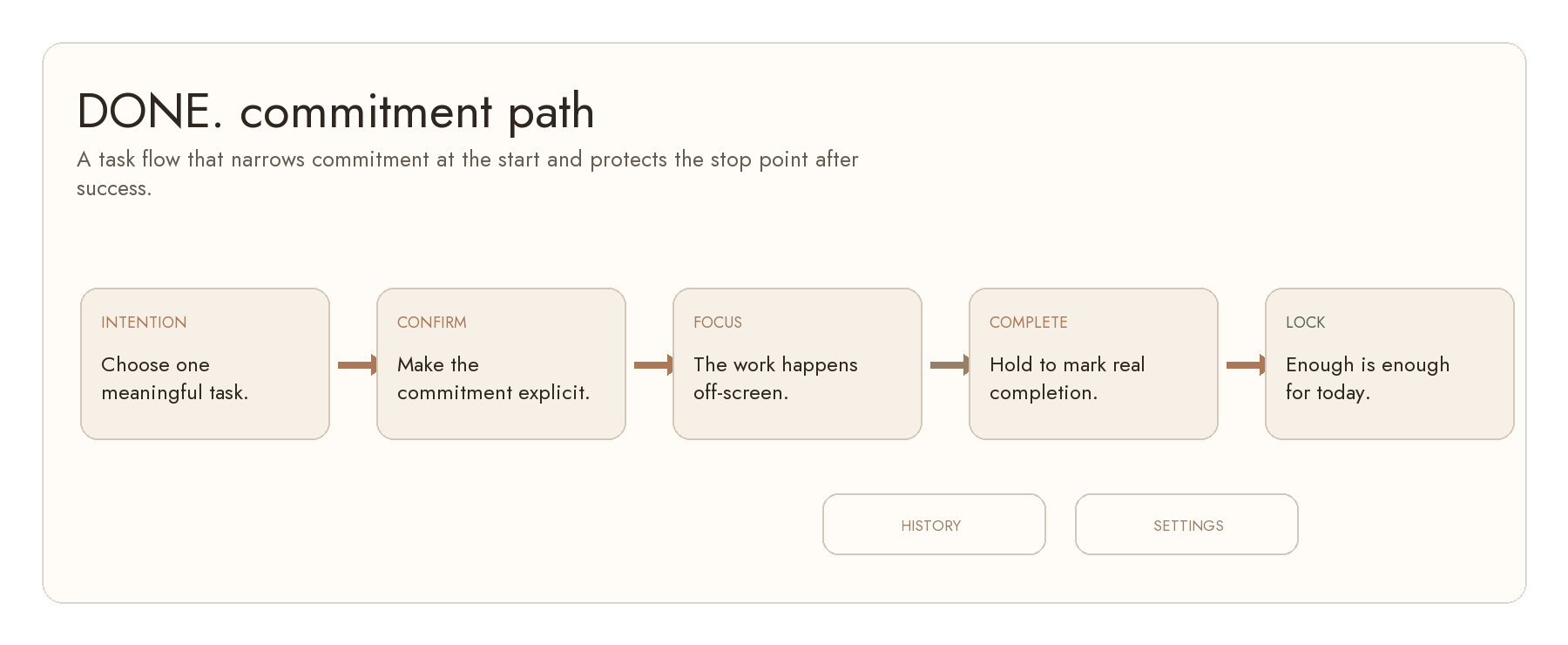
The product model is intentionally stricter after success, not looser. The app narrows attention at the beginning and protects the stopping point at the end.
User Model
PERSONA A
Overloaded professional
Needs a daily commitment surface that prevents every passing
task from becoming a list item.
PERSONA B
Recovering overachiever
Needs the locked state to feel relieving, not punitive, after
meaningful work is complete.
PERSONA C
Low-energy day
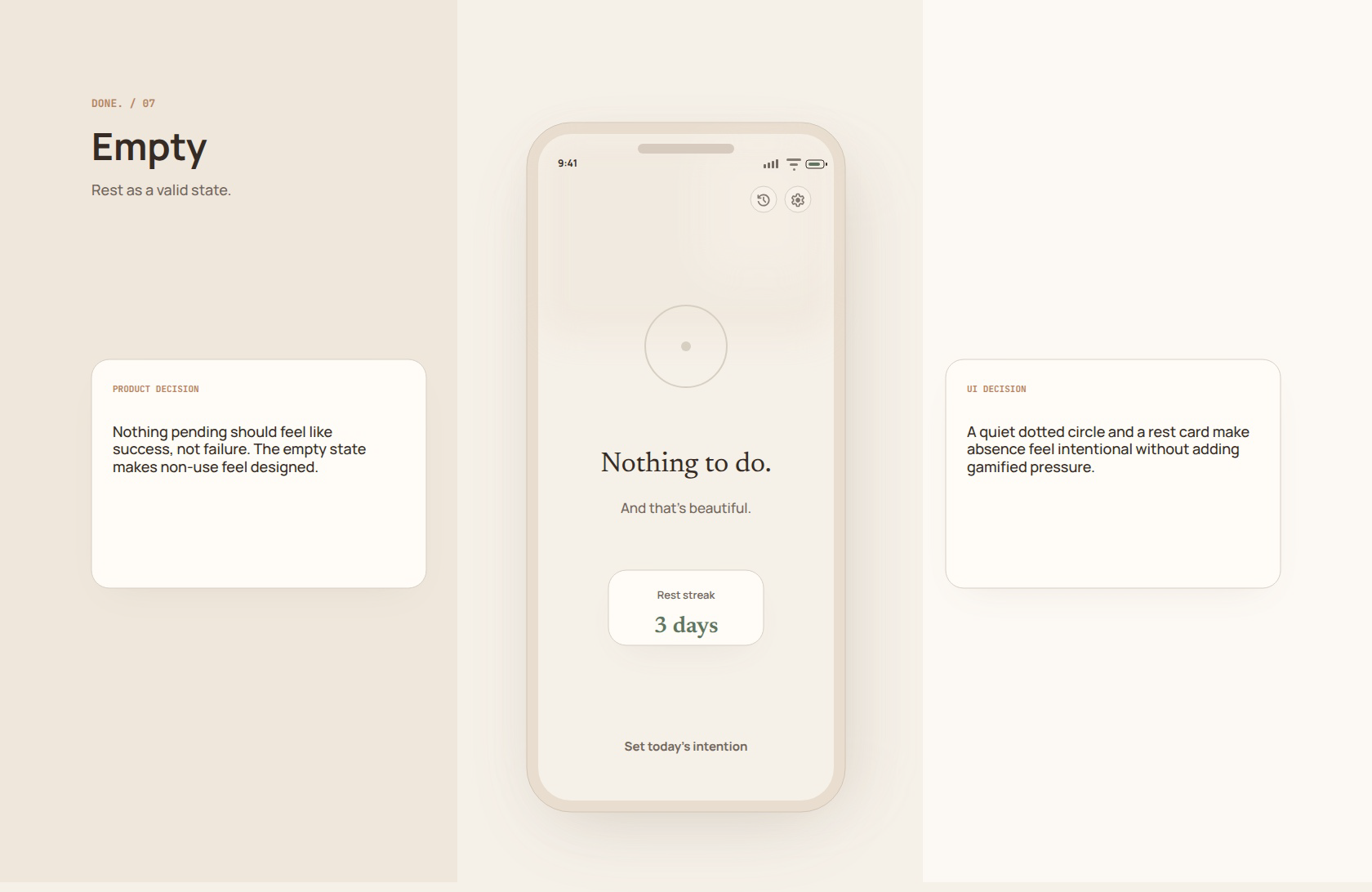
Needs rest to be a valid state rather than a failure to fill the app
with activity.
Design Principles
Flow Model
The main path is linear: intention, confirmation, focus, hold-to-complete, brief acknowledgment, then locked rest. History and settings are secondary utilities, not
navigation hubs.
PRINCIPLE 01
Commitment over capture
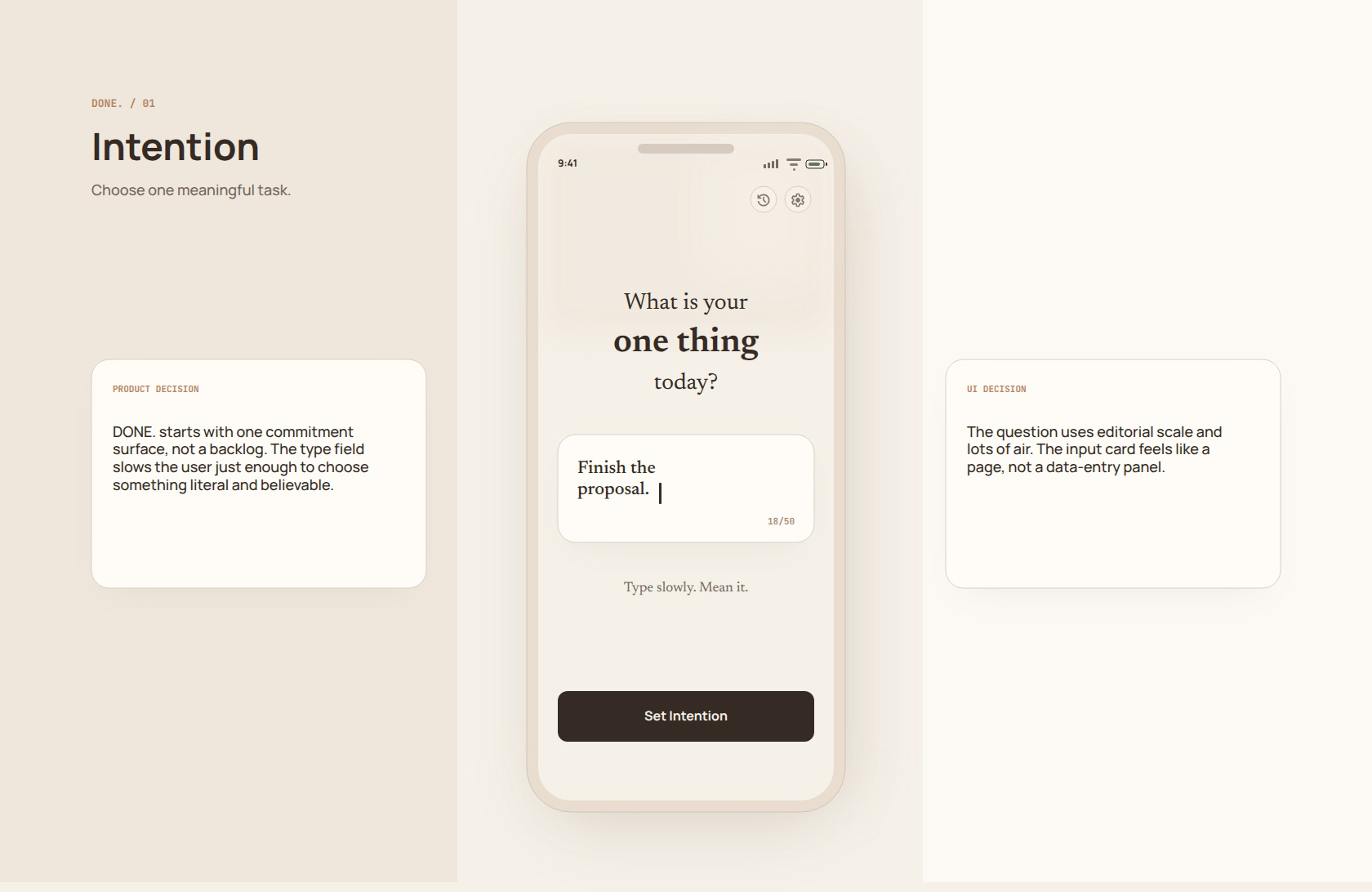
The first screen asks for one thing, not an inbox.
PRINCIPLE 02
Friction at the right moment
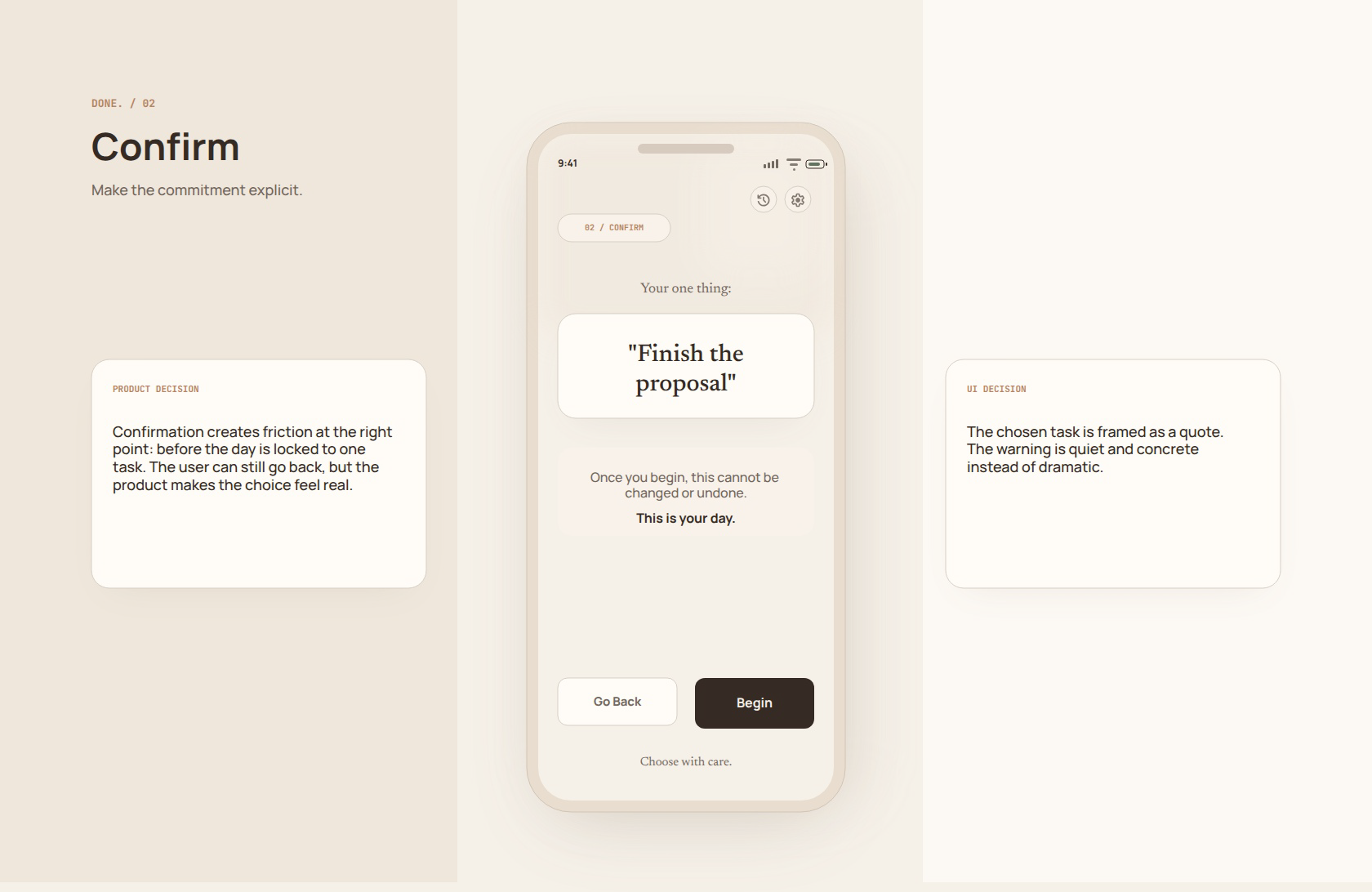
Confirmation happens before the day locks to one task.
PRINCIPLE 03
The app gets smaller after choice
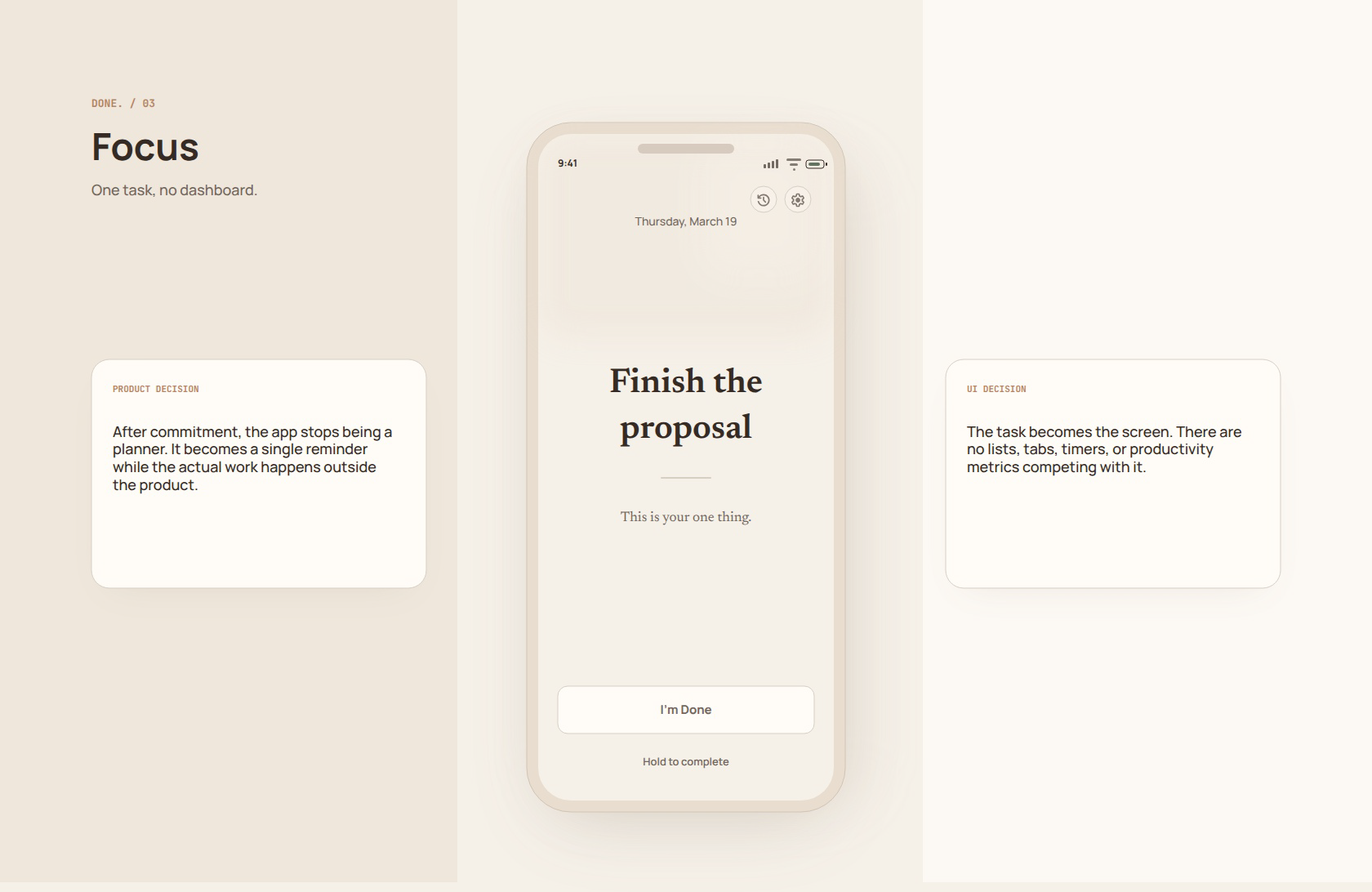
Once committed, the task becomes the whole product surface.
PRINCIPLE 04
Completion is finite
The success screen acknowledges and releases rather than
upselling another action.
PRINCIPLE 05
Rest is not failure
Empty and locked states treat non-use as a designed outcome.
PRINCIPLE 06
Sparse utilities
History and settings are visible but quiet; they never become a
dashboard.
PHASE 01
Intention
The user chooses one meaningful task for the day.
PHASE 02
Confirm
The commitment is made explicit before the product narrows.
PHASE 03
Focus
The app stops being a planner while the work happens outside
it.
PHASE 04
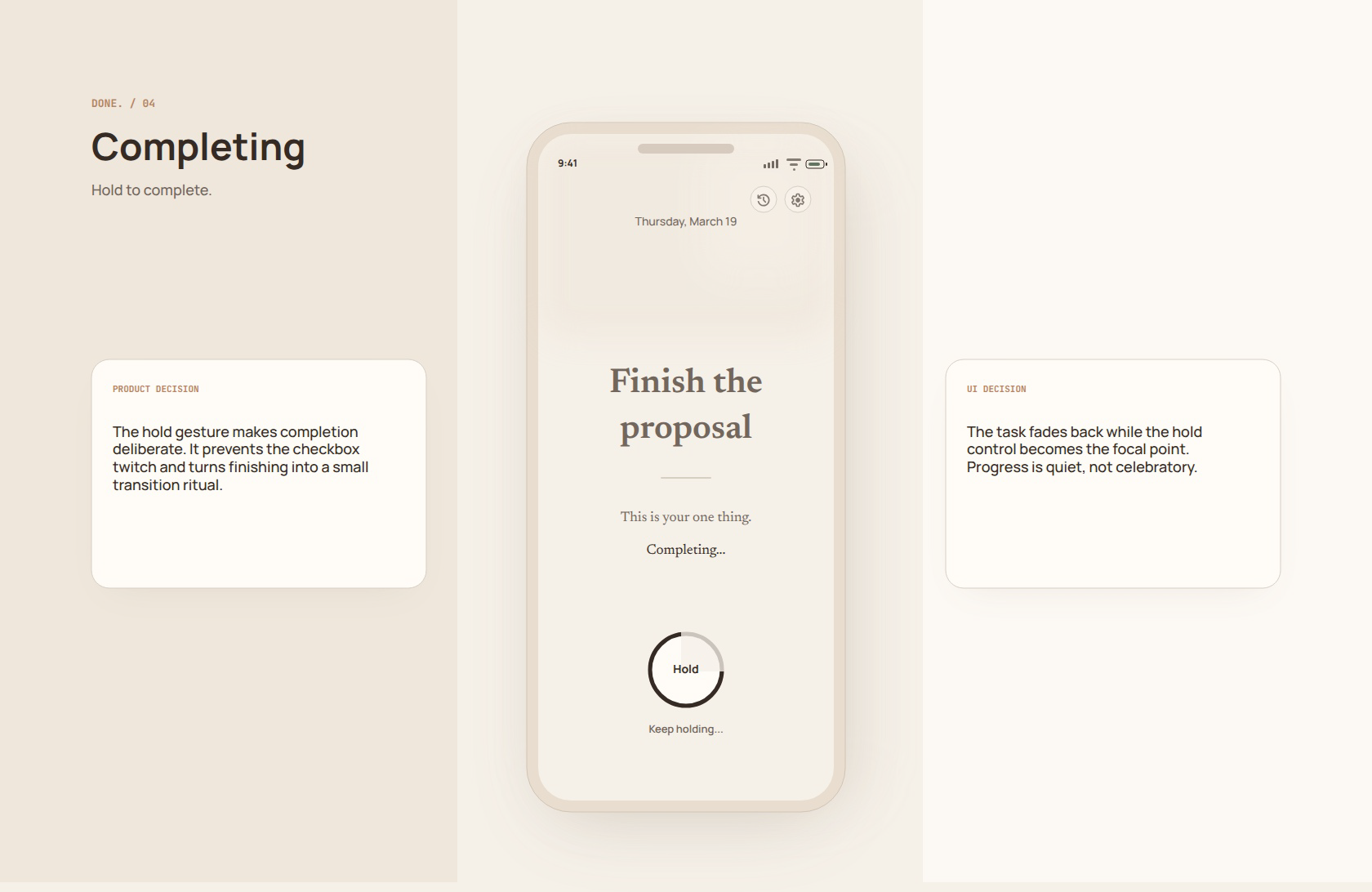
Complete
A hold gesture turns finishing into a deliberate transition.
PHASE 05
Lock
The app protects the stopping point until the next unlock.
UTILITIES
History and settings
Quiet secondary screens support reflection and unlock time
only.
State Machine
A production build should start from the one-task state machine. The visual language exists to make the narrow product contract feel intentional rather than missing.
State Primary user question Allowed actions
Intention What is my one thing today? Set intention, history, settings
Confirm Am I willing to make this the task? Begin, go back
Focus What am I here to finish? Hold to complete
Completing Am I deliberately marking this done? Continue holding, release
Celebration Can I stop now? Continue
Locked When does the app reopen? View history, settings
Empty Is rest allowed? Set today's intention
History What did I finish before? Return, settings
Settings What minimal rule can change? Unlock time, return
Implementation Notes
• Persist one committed task per local day.
• Treat hold-to-complete as a real interaction state, not a decorative animation.
• Move directly from success to locked state.
• Avoid streaks, scores, leaderboards, or workload analytics.
• Keep history as a record, not a performance dashboard.
The product is successful when it helps the user finish one real thing and then protects the right to stop.
Hi-res screens